Portable setup kit
Consider carrying a lightweight laptop stand, compact keyboard, and wireless mouse when working from cafes or co-working spaces. These three items dramatically improve sitting posture compared to using a laptop alone.
Different tasks demand different sitting strategies. These tips address specific situations desk workers encounter daily, from video calls to extended writing sessions.
Laptops encourage a downward head tilt when placed flat on a desk. Elevate the screen using a stand or stack of stable books, and connect an external keyboard and mouse to maintain a comfortable typing position.
Consider carrying a lightweight laptop stand, compact keyboard, and wireless mouse when working from cafes or co-working spaces. These three items dramatically improve sitting posture compared to using a laptop alone.
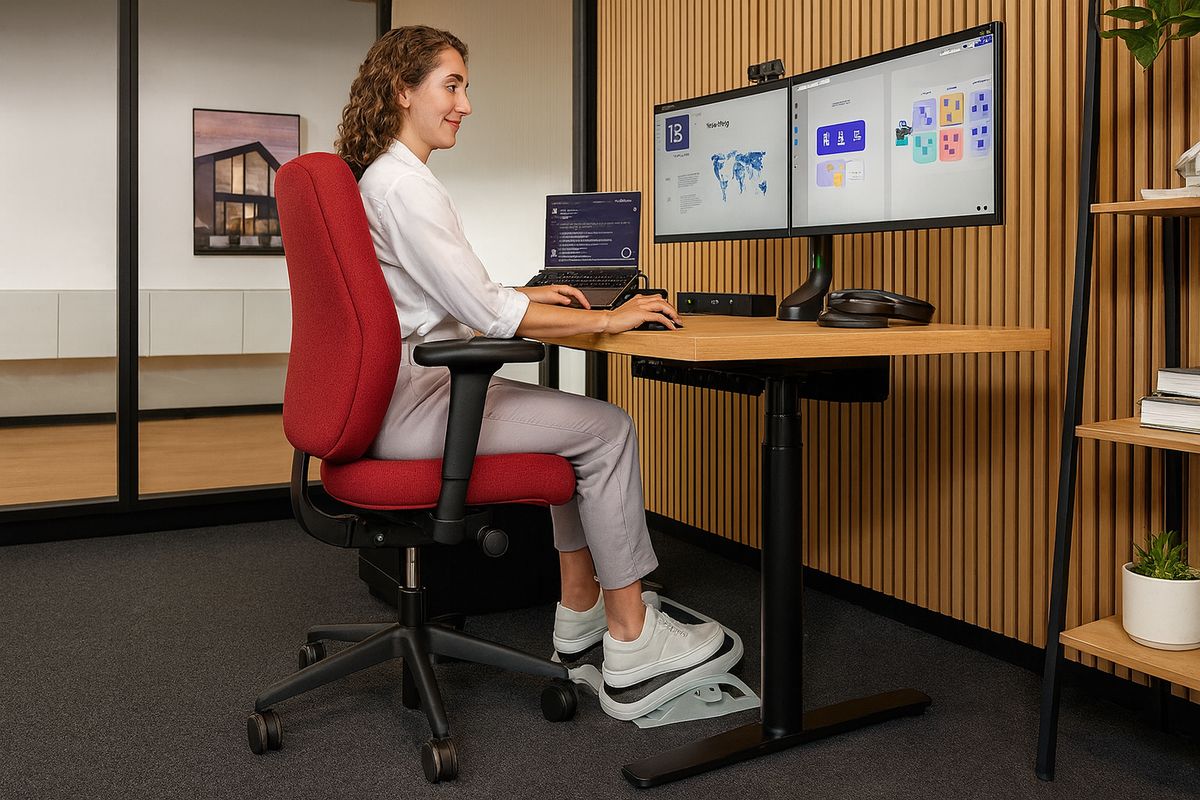
During video conferences, people often lean forward toward the camera or crane their neck to read chat messages on a secondary screen. Position your webcam at eye level and keep notes within your primary field of view.
Mount your webcam at the top centre of your monitor or use a clip-on camera positioned at eye height to avoid looking down during calls.
Sit back in your chair with shoulders relaxed. Avoid hunching toward the screen when listening — this habit often persists after the call ends.
When reviewing long documents, use text-to-speech tools or increase font size to reduce forward leaning. Place printed materials on a document holder beside your monitor at the same height as your screen to minimise neck rotation.
Focused reading reduces blink rate. Set a gentle reminder every 15 minutes to blink deliberately and look away from the screen briefly.
Leisure activities like gaming or browsing often involve longer uninterrupted sitting sessions. Apply the same ergonomic principles as during work: supported back, neutral wrists, and scheduled breaks every 30 minutes.
Many people maintain poor sitting habits during personal computer use because they associate ergonomics solely with work. Treating all screen time with the same awareness helps build consistent habits.
Every 20 minutes, roll your shoulders backward five times while away from the keyboard. This brief pause also gives you a moment to check your chair and monitor position.
Gently align your head over your shoulders and confirm your monitor is at the correct height. Repeat this quick check during scheduled desk breaks.
Stand up, clasp your hands behind your back, and take a few steps away from your desk. Use this pause to reset your sitting position when you return.
Finnish seasons affect how we sit and work. During summer, increased daylight may cause screen glare — reposition your desk or use curtains. In winter, colder indoor temperatures may cause shoulder hunching; dress in layers and keep the workspace comfortably warm.
When working during holidays, avoid using hotel furniture designed for short stays. Request a proper desk and chair from reception, or work from a co-working space with adjustable furniture when possible.
Brief walks or standing intervals help you reset your desk setup throughout the workday.
Feet flat on the floor or on a footrest, never dangling unsupported for hours.
Building awareness is more valuable than maintaining a rigid position all day.
These tips complement our full sitting guide. For personalised advice based on your specific workspace, schedule a consultation with our guidance team in Espoo.