Quick Chair Checklist
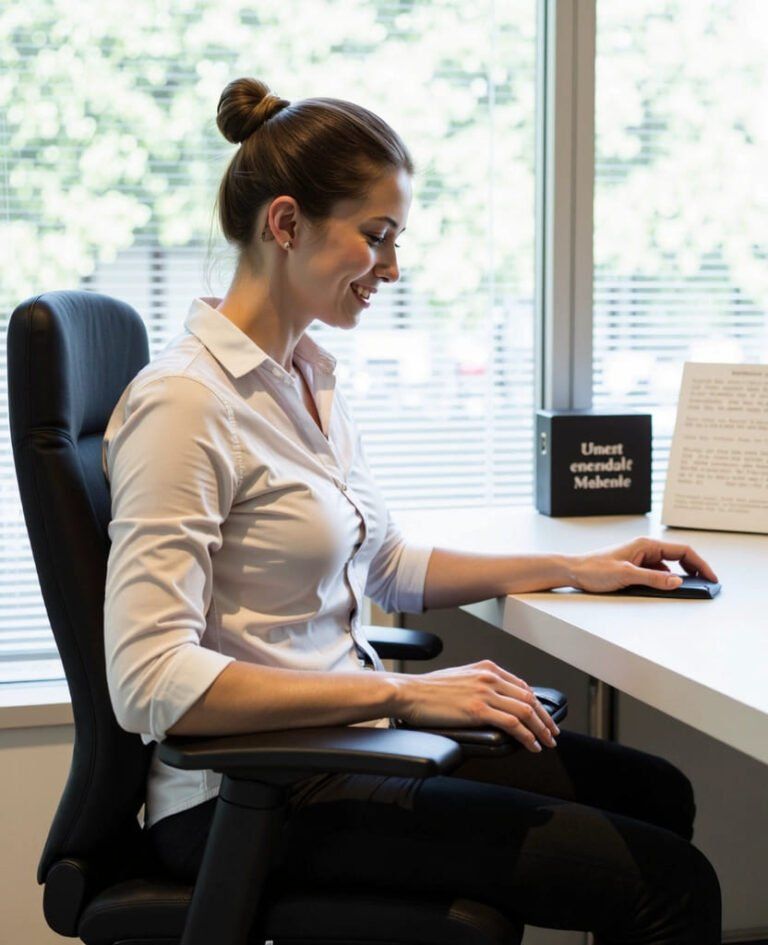
Sit fully back in the chair with hips pushed against the backrest. If your feet do not reach the floor comfortably, use a footrest rather than lowering the chair so much that your elbows drop below desk level.
A step-by-step reference covering chair setup, desk organisation, and sustainable habits for professionals who spend significant time in front of a screen.
Begin by adjusting your chair so your feet rest flat on the floor or on a footrest, with knees bent at approximately 90 degrees. Your thighs should be parallel to the ground without pressure on the back of your knees.
Sit fully back in the chair with hips pushed against the backrest. If your feet do not reach the floor comfortably, use a footrest rather than lowering the chair so much that your elbows drop below desk level.
Position your primary screen directly in front of you at arm's length — roughly 50 to 70 centimetres from your eyes. The top of the screen should sit at or slightly below eye level to encourage a neutral neck position.
Centre the screen on your keyboard and align it with your body midline. Avoid placing the monitor off to one side for extended periods.
Place both screens at equal height with the primary display centred. Rotate your chair rather than twisting your torso when switching between screens.
Keep the keyboard close enough that your elbows remain at roughly 90 degrees with upper arms hanging naturally at your sides. Wrists should stay straight and float above the desk surface rather than resting on a hard edge while typing.
Place your pointing device on the same level as your keyboard and within easy reach. Avoid reaching forward or sideways repeatedly, as repetitive reaching can make your desk setup less efficient over time.
Proper lighting supports a stable viewing position at your monitor. Position your desk so windows are to the side rather than directly behind or in front of your screen.
In northern latitudes, seasonal changes in daylight hours affect how we perceive screen contrast. During dark winter months, many Espoo-based workers benefit from slightly warmer ambient lighting and more frequent screen breaks.
Every 20 minutes, look at something at least 20 feet (6 metres) away for 20 seconds. This simple habit helps rest your eyes during long reading or coding sessions.
Alternate between sitting and standing if you have an adjustable desk. If not, stand during phone calls, walk to a colleague's desk instead of sending a message, or take a brief stroll during lunch. The goal is to interrupt prolonged static positions rather than eliminate sitting entirely.
Remote workers often have more control over their environment but may lack dedicated ergonomic furniture. Office workers typically have standardised desks but must adapt to shared equipment and limited customisation options.
Designate a specific work area separate from relaxation spaces. Invest in a supportive chair if you work from home regularly. Keep cables organised to prevent tripping hazards and maintain a clear desk surface.
Request a chair adjustment session from your facilities team. Bring a lumbar cushion if shared chairs lack adequate support. Respect hot-desking etiquette by leaving workstations tidy for the next person.
Slight recline of 10 to 15 degrees in your chair backrest is often more comfortable and sustainable than rigid upright sitting. The emphasis should be on supported, neutral alignment rather than military-style posture.
Standing for long periods without movement carries its own challenges. Alternating between sitting and standing, combined with regular walking breaks, tends to be more effective than any single fixed position.
Equipment supports good habits but does not replace them. A premium chair used incorrectly provides little benefit. Awareness, regular adjustments, and movement remain essential regardless of furniture quality.
Ready to apply these principles to your own workspace? Our posture tips page covers scenario-specific advice, or contact us for a personalised sitting plan consultation.